Is HappyMod Safe? Security Guide
September 21, 2026 (4 weeks ago)
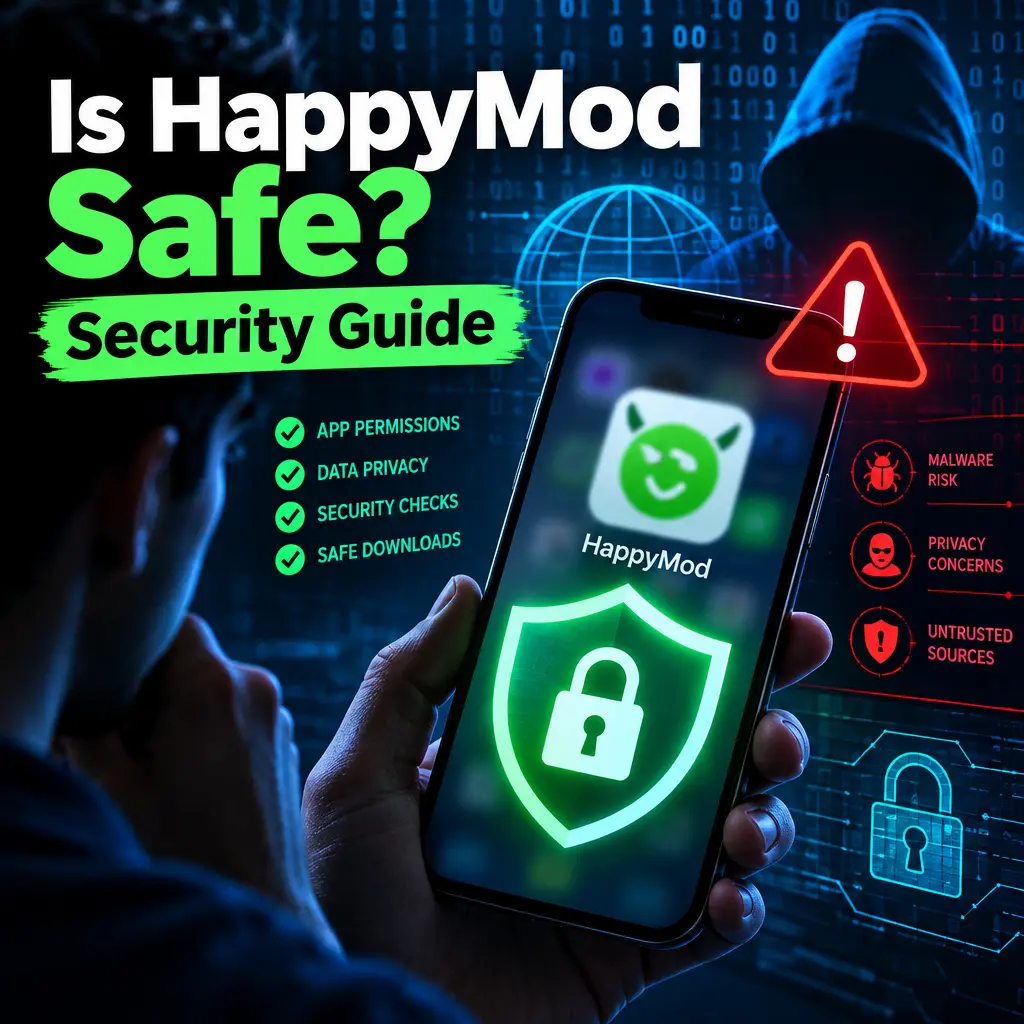
HappyMod is a popular marketplace for modified Android apps and games. These apps, often called mod APKs, can offer unlocked premium features, removed ads, unlimited coins, custom settings, or other changes that are not available in the original version. For many users, this sounds exciting. But the big question is simple: Is HappyMod safe? The honest answer is that it can be risky, especially if you care about security and privacy. Modified apps are not the same as apps from official stores, and they can expose your phone, accounts, and personal data to real threats.
What Makes HappyMod Different?
HappyMod is not a normal app store like Google Play. It hosts modified versions of Android apps and games. These apps have been changed by third parties, not always by the original developers. That means the code inside the app may be different from the official version.
Some modified apps may work as promised, but others may contain hidden behavior. A modded game might give you unlimited coins, but it might also request access to your contacts, storage, camera, microphone, or device information. The problem is that most users cannot easily check what has been added or changed inside an APK file.
Main Security Risks of HappyMod
The biggest concern with HappyMod is that you are installing apps from outside the official Android ecosystem. This process is called sideloading. Sideloading itself is not always dangerous, but it removes some of the safety checks that protect users in official app stores.
- Malware risk: A modified APK may contain spyware, adware, trojans, or other harmful code.
- Fake apps: Some apps may look like popular games or tools but behave differently once installed.
- Data theft: A modded app could collect login details, messages, files, or device identifiers.
- Hidden ads: Some APKs may show aggressive ads or redirect you to unsafe websites.
- Account bans: Games and apps may ban users who use modified versions.
Even if HappyMod claims that apps are tested by users, community feedback is not the same as a professional security audit. A mod can work well and still contain privacy risks in the background.
Privacy Concerns You Should Know
Privacy is a major issue with modified apps. Many Android apps already collect data, but modded apps can be more unpredictable. Since the app has been changed, the original privacy policy may no longer apply. The developer of the official app may not control the modified version, and you may not know who made the changes.
A modded app could collect information such as:
- Your device model, Android version, and unique device IDs
- Your IP address and approximate location
- Files stored on your phone if storage permission is granted
- Login details if you sign in inside the app
- Usage activity, including what buttons you tap and how often you open the app
This matters because personal data can be sold, used for targeted scams, or linked to your online accounts. If you use the same password across apps, one unsafe modded app could create problems beyond your phone.
Why Permissions Matter
One of the best ways to judge the safety of a HappyMod APK is to check its permissions. Permissions tell you what the app can access on your device. Some permissions are normal. For example, a photo editing app may need access to your images. But if a simple game asks for microphone, SMS, contacts, and location access, that is a warning sign.
- Contacts: Can expose names, numbers, and email addresses of people you know.
- SMS: Can be used for verification code theft or premium text scams.
- Storage: Can allow access to downloads, images, and other files.
- Microphone and camera: Can create serious privacy risks if abused.
- Accessibility services: Can be extremely dangerous if misused, since they can read screen content and perform actions.
Before installing any APK from HappyMod, ask yourself if the requested permissions make sense. If they do not, avoid the app.
How to Use HappyMod More Safely
No method can make modded apps completely safe, but you can reduce the risks. If you still want to use HappyMod, take a careful approach and avoid using it on your main phone if possible.
- Use a secondary device: Install modded apps on an old phone or tablet that does not contain personal data.
- Do not sign in with important accounts: Avoid using your main Google, Facebook, banking, or gaming accounts inside modded apps.
- Scan APK files: Use trusted antivirus tools or online malware scanners before installing.
- Check app permissions: Deny unnecessary permissions during and after installation.
- Keep Play Protect enabled: Google Play Protect can sometimes detect harmful apps, even if they were installed outside the Play Store.
- Update Android: Security updates help protect your phone from known threats.
It is also smart to keep backups of important files. If a bad APK damages your device, locks files, or causes strange behavior, a backup can save you from losing photos, documents, and other personal information.
Warning Signs of an Unsafe Mod APK
Some danger signs are easy to spot. If you notice any of the following, uninstall the app and run a security scan:
- The app asks for permissions that do not match its purpose.
- Your phone battery drains much faster than usual.
- You see pop-up ads outside the app.
- Your phone slows down after installing the APK.
- The app installs other apps without clear permission.
- Your browser opens random pages or redirects to unknown websites.
- You notice strange login alerts from your online accounts.
These signs do not always prove malware, but they are strong reasons to be cautious. A safe app should not take control of your device experience or behave in a hidden way.
Comparing HappyMod With Official App Stores
Official app stores are not perfect, but they usually provide more protection. Google Play uses automated scanning, developer verification, app reviews, and security tools. When a harmful app is found, it can be removed and users may receive warnings.
HappyMod works differently. Since it is focused on modified apps, it depends more on user reports, community ratings, and APK uploads from third parties. This creates a trust gap. You are not only trusting HappyMod, but also the person or group that modified the app.
Another issue is updates. Official apps receive security patches from developers. Modded apps may not be updated quickly, or the update may come from a different source. Running old app versions can expose you to known security problems.
Best Practices for Protecting Your Privacy
If privacy is your priority, treat every modded app as untrusted until proven otherwise. You do not need to panic, but you should be careful.
- Use a separate email address for testing apps from HappyMod.
- Never enter banking details, payment information, or sensitive passwords in modded apps.
- Turn off permissions after installation if they are not needed.
- Use Android’s app settings to block background data for suspicious apps.
- Avoid apps that require Accessibility access unless you fully trust them.
- Consider using a VPN for network privacy, but remember that a VPN cannot remove malware.
Also, avoid downloading APKs from random links, comments, or mirror sites that claim to offer “better” versions. These copies may be repacked with extra harmful code.
So, Is HappyMod Safe?
HappyMod is not as safe as downloading apps from official app stores. Because it offers modified Android apps and games, there are higher risks related to malware, privacy leaks, account security, and unstable app behavior. Some users may install apps from HappyMod without problems, but that does not mean every APK is safe.
If you decide to use HappyMod, do it with caution. Do not install modded apps on a phone that contains private photos, work files, banking apps, or important accounts. Check permissions, scan files, avoid signing in with real accounts, and remove anything that behaves strangely.
The safest choice is always to use official app versions from trusted stores. But if you explore HappyMod, treat it like a high-risk source. The extra features may be tempting, but your privacy and device security are worth more than unlocked coins, free premium tools, or removed ads.
Recommended For You